

Android smartphones give users a lot of freedom when it comes to installing apps. While the Google Play Store is the safest and most familiar option, Android also allows applications to be installed from other sources. This is where APK files come into the picture.
For people searching for an https://bhallafornj.com/issues application, the main challenge is not simply finding a downloadable file. It is understanding what an APK is, checking whether the file is trustworthy, making sure it works with the phone, and avoiding unnecessary security risks.
This guide explains the basics of APK slot downloads for Android users in a simple and practical way. It also covers compatibility, installation, permissions, security checks, common problems, and what to do when an APK does not work as expected.
What Is an APK File?
APK stands for Android Package Kit. It is the file format Android uses to distribute and install applications.
When you download an application from the Google Play Store, the installation process happens automatically in the background. When you download an APK manually, you are handling the application package yourself.
An APK can contain the files and information required for an Android application to operate, including:
- Application code
- Images and other resources
- App permissions
- Installation information
- Version details
- Required components
An APK file usually has the .apk extension. Once installed, it behaves like other Android applications, provided it is compatible with the device and has been properly packaged.
What Does APK Slot Mean?
The phrase apk slot is commonly used when people are looking for an Android APK related to slot-style gaming or casino-style applications.
However, the term itself does not identify one specific application. Different websites may use similar wording for completely different apps, so users should check the exact app name, developer, version, and source before downloading anything.
This is especially important because APK files obtained outside official app stores may not have gone through the same review process users expect from established app marketplaces.
Why Do People Download APK Files?
There are several legitimate reasons an Android user might choose an APK instead of installing an app through the Play Store.
Access to Apps Not Available in the Play Store
Some applications may not be available in a particular country or region. In other cases, an app may have been removed from a store while its developer continues distributing it elsewhere.
An APK can provide another installation method, although users should verify that the source is legitimate before installing it.
Installing an Older Version
Sometimes a newer application update causes compatibility or performance problems on a particular phone. An older APK version may work better, but installing outdated software can also create security and compatibility issues.
If an older version is used, it is important to understand that it may no longer receive security fixes or other improvements.
Testing an Application
Developers and experienced Android users sometimes use APK files to test applications before a normal store release. This is more common with beta versions and applications distributed directly by developers.
For ordinary users, however, there is usually little reason to download an APK from an unknown website simply because it is available there.
How to Choose an APK Slot Download Safely
The most important part of downloading an APK is choosing a trustworthy source.
Do not assume that a website is safe simply because the download button works or the page looks professional. Malicious files can be presented through attractive websites and misleading advertisements.
Before downloading, consider these checks:
Check the Developer
Look for the application’s official developer or publisher. If the developer information is missing, inconsistent, or difficult to verify, treat the download with caution.
A legitimate application should normally provide enough information for users to understand who created it.
Check the App Version
Look at the APK version before downloading it. An extremely old version may not work correctly with a modern Android system.
At the same time, a version claiming to be unusually new may deserve additional verification if it is not listed on the developer’s official channels.
Avoid Modified APKs
Modified APKs may have changes made by third parties. Some websites advertise these files with claims about unlocked features, unlimited resources, or other benefits.
Such modifications can introduce unwanted code or change how the application behaves. For security reasons, an official, unmodified version is generally the better choice.
Read the Permissions
Pay attention to the permissions requested by an application.
For example, a simple application that has no obvious reason to access contacts, messages, microphone, or other sensitive information should make you question why those permissions are required.
Permissions alone do not prove that an application is malicious, but unusual requests are worth investigating.
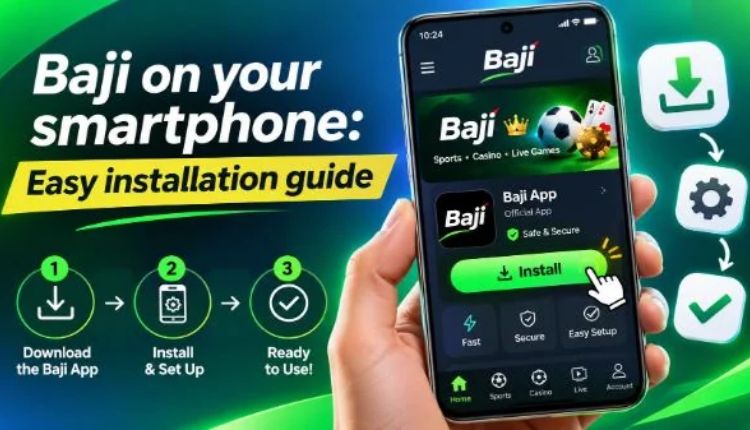
How to Install an APK on Android
The exact steps can vary slightly depending on the Android version and smartphone manufacturer.
In general, the process looks like this:
- Download the APK from a source you trust.
- Open the downloaded APK file.
- Android may ask whether you want to allow installation from that source.
- If necessary, enable the relevant permission for the browser or file manager.
- Return to the APK and start the installation.
- Wait until the installation finishes.
- Open the application and check whether it works correctly.
Android may show security warnings during this process. Do not automatically ignore them. Read the warning and make sure you understand where the file came from before continuing.
Once the application has been installed, you can usually disable the permission that allowed the particular source to install unknown applications if you no longer need it.
Check Your Android Version Before Installing
Compatibility is another important factor when downloading an APK.
Android applications are developed against particular operating-system versions and device configurations. An APK designed for an older or newer environment may not work properly on your phone.
Before installing, check:
- Your Android version
- Available storage
- Device architecture when relevant
- APK version
- Minimum Android version required by the application
You can normally find your Android version through your phone’s Settings menu, although the exact location varies between manufacturers.
If an APK says that your device is unsupported, installing it repeatedly may not solve the problem. The application may genuinely require a different Android version or hardware configuration.
Common APK Installation Problems
Downloading an APK does not guarantee a successful installation. Several common errors can appear.
“App Not Installed”
This message can have several causes. The APK might be incompatible with the device, corrupted during download, or conflict with an application that is already installed.
First, make sure the download completed properly. If the problem continues, check the APK’s compatibility information and consider obtaining the application from a more reliable source.
Installation Is Blocked
Android may prevent an installation because the file comes from an unapproved source.
If you intentionally downloaded the APK from a trustworthy source, check the relevant Android permission settings. Do not disable security protections simply to install a file from an unknown website.
The App Crashes After Installation
An application may install successfully but crash when opened.
Possible reasons include:
- Android-version incompatibility
- Missing components
- Corrupted APK
- Insufficient storage
- Server-side problems
- Device-specific compatibility issues
If the application continues crashing, uninstalling it and returning to an official distribution channel may be the safest solution.
APK Slot Apps and Account Safety
If an APK requires an account, users should be careful about the information they enter.
Never provide sensitive account information to an application or website unless you understand who operates it and why the information is required.
Be particularly cautious when an APK asks for unnecessary personal information, payment details, SMS access, or other sensitive permissions.
Using a separate password for different services is also a good security practice. If an unfamiliar application requests your existing password for another service, stop and verify the situation before continuing.
Keep Your Android Phone Secure
Installing an APK is only one part of smartphone security. Good security habits should continue after installation.
Keep your Android operating system and important applications updated whenever possible. Security updates can address vulnerabilities that attackers may otherwise exploit.
You can also regularly review installed applications and remove anything you no longer recognize or use.
Useful habits include:
- Downloading apps from reputable sources
- Keeping Android updated
- Reviewing app permissions
- Removing suspicious applications
- Avoiding unknown links and pop-up downloads
- Using a device lock
- Keeping important accounts protected with strong passwords
These steps are useful regardless of whether you install applications through the Play Store or another source.
What to Do Before Downloading an APK Slot App
Before clicking a download button, take a moment to verify the basics.
Quick Checklist
Ask yourself:
- Is this the official application?
- Can I identify the developer?
- Is the download source trustworthy?
- Does the APK match my Android version?
- Is the file version clearly stated?
- Are the requested permissions reasonable?
- Is the file an original APK rather than an unexplained modified version?
- Does my phone have enough free storage?
- Do I actually need to install it outside the Play Store?
If several answers are unclear, it is better to stop and investigate rather than install the file immediately.
Why APK File Size Matters
File size is not a complete security test, but it can sometimes provide useful information.
For example, if a website claims to provide an application that is normally a few dozen megabytes but offers a dramatically different file size without explanation, investigate before installing it.
A different size does not automatically mean that the APK is unsafe. Different versions, device architectures, compression methods, and bundled resources can change file sizes.
The important point is to avoid using file size as the only safety check.
Avoid Misleading Download Buttons
Some APK websites contain several advertisements and fake download buttons.
A user may click what appears to be the application’s download button and instead be redirected to another website or prompted to install a completely different application.
Take your time when downloading. Check the file name, destination, and browser address before opening anything.
If multiple pop-ups appear or the website repeatedly redirects you, leaving the page is often the better option.
Should You Install an APK Slot App?
There is no universal answer. It depends on the application, its source, your device, and what the application actually does.
If the application is distributed by a legitimate developer through a trustworthy channel and your device meets its requirements, manual APK installation can be useful.
However, downloading an APK simply because it promises extra features, unlimited access, or special rewards can expose your device and personal information to unnecessary risks.
The safest approach is to verify the application first rather than focusing only on getting the download completed.
Final Thoughts
An apk slot search can lead to many different Android applications and download sources, so users should not treat every APK file as trustworthy. Understanding what an APK is, checking the developer, verifying compatibility, reviewing permissions, and avoiding suspicious modified files can make the installation process much safer.
For most users, an official app store or the application’s verified developer distribution channel should be the first choice. If manual installation is necessary, slow down and verify the file before opening it.
A successful APK installation is not simply about downloading a file. It is about making sure the application is legitimate, compatible with your smartphone, and appropriate for your device.
